
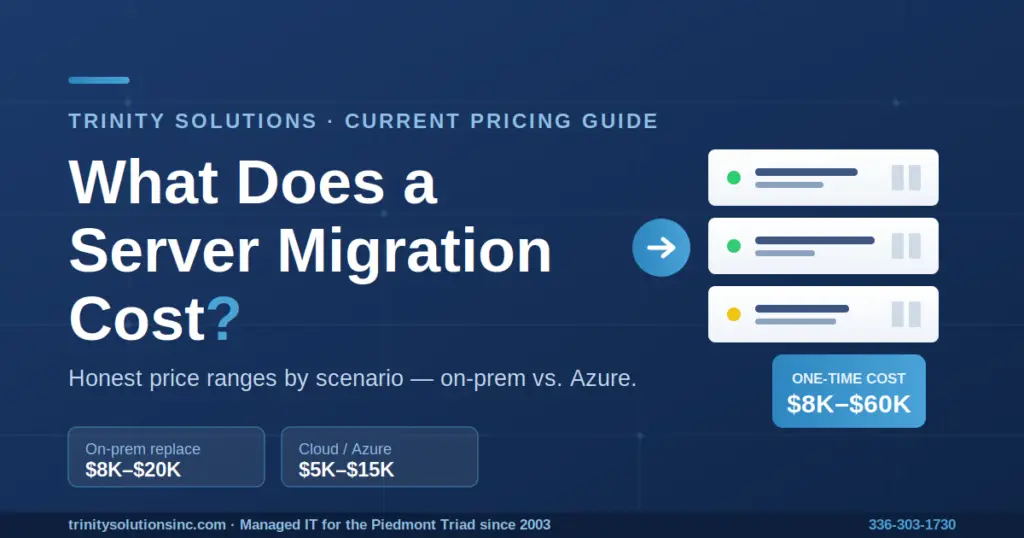
A server migration for a typical small business runs somewhere between $8,000 and $60,000 as a one-time project — but that range is almost useless until you break it into the parts that actually drive the number. Below are honest price bands based on real projects we've quoted and deployed, what each line item actually costs, and the questions that move you from the low end of that range to the high end.
If you're reading this because your Server 2012 R2 box is finally aging out, or a vendor quote landed on your desk and you have no idea whether it's fair, this is written for you — a real small or mid-sized business in the 5–50 employee range, not an enterprise with a hundred servers.
The Honest Answer: It Depends on Four Things
Search "server migration cost" and you'll get numbers from $3,000 to $600,000. Neither extreme means anything for a 20-person company deciding whether to replace one aging server. The reason the range is so wide is that "server migration" describes four very different projects:
- Replacing one aging server with a new on-premises server — the most common SMB scenario.
- Moving your server to the cloud (Azure) instead of buying new hardware.
- Consolidating several old servers into fewer, more powerful ones (or into virtual machines).
- A full environment migration with line-of-business applications, databases, and integrations that need rework.
The first is a few thousand dollars of hardware plus labor. The last can run into six figures. So before any number means anything, you need to know which project you're actually buying.
Server Migration Cost — 2026 Ranges at a Glance
| Scenario | Typical One-Time Cost | Timeline |
|---|---|---|
| Single server replacement (on-prem) | $8,000 – $20,000 | 1–3 weeks |
| Single server → Azure (cloud) | $5,000 – $15,000 | 2–4 weeks |
| Multi-server / small environment (3–6 servers) | $15,000 – $40,000+ | 4–10 weeks |
| Complex application / database environment | $25,000 – $60,000+ | 8–16 weeks |
These are honest, planning-grade ranges based on real projects we've quoted and deployed for Triad small businesses. Your actual number depends on the factors below — the only way to a real figure is an assessment of your specific environment.
What Actually Makes Up a Server Migration Quote
A migration quote is never one flat number. When someone hands you a price, it should break down into these pieces. If it doesn't, that's your first red flag.
1. Hardware (On-Premises Only)
If you're staying on-premises, a properly specced small-business server typically runs $5,000–$12,000 or more once you account for storage, redundancy, warranty, and the server operating system. A basic single-purpose box sits toward the low end; a business server with RAID SSD storage, ECC memory, redundant power, and a multi-year warranty lands higher. The servers we actually deploy for clients — rack and tower units from vendors like Lenovo — generally fall in this range, not the bargain-basement figures you'll see quoted elsewhere. Skip this line entirely if you're migrating to the cloud — that's a big part of why cloud migrations can start lower.
2. Software Licensing
This is the line most business owners underestimate. Windows Server is licensed per physical core with a 16-core minimum per server, and on top of the server license you need a Client Access License (CAL) for every user or device that touches the server. Between the OS and CALs, licensing routinely adds a few thousand dollars to a server build — and it's usually bundled into the hardware quote, so it's easy to miss.
One thing worth knowing before you budget: Microsoft raised Windows Server list pricing with the 2025 release versus 2022 — roughly 10% on Standard and 20% on Datacenter. If your last quote was based on older numbers, the renewal will be higher than you remember. We'll confirm current licensing costs as part of any quote.
3. Migration Labor
The actual work — discovery, building the new environment, moving data, testing, and cutover — is where the professional-services cost lives, typically $2,000–$8,000 or more for a straightforward single-server project, with complex migrations going higher. This is the line that separates a clean migration from a weekend disaster, and it's the one worth paying for.
To put real numbers on it, here are a few actual Trinity projects:
- A limited-scope server upgrade for a Triad client ran 18 hours, capped at $2,250.
- A full Windows Server domain migration for a local manufacturer — new domain controller build, file and terminal server migration, workstation cutover, and validation — came in at 40 hours / $5,000.
- That same client's Exchange-to-Microsoft 365 email migration was a separate 70 hours / $8,750, which shows how quickly email and application migrations add to a project beyond the server itself.
4. The Environment Assessment
Good migrations start with an assessment — mapping every role, application, and dependency before anything moves. It typically runs $500–$2,500 and is the single most important line in the quote. Skip it, and the budget almost always overshoots, because the surprises get found during the migration instead of before it.
5. Ongoing Costs (If You Go Cloud)
A cloud migration replaces the upfront hardware cost with a monthly bill — and that bill is highly workload-dependent. It varies with VM size, storage volume, backup, bandwidth, reserved-instance discounts, and licensing, so a single "per server" figure would be misleading. A small file server carries a modest monthly cost; a heavier line-of-business or ERP environment can run substantially more. The right way to budget a cloud migration is to have someone size the actual workload and model the real monthly total — because comparing two quotes on the one-time cost alone, without asking what the monthly bill looks like a year in, is one of the most common ways small businesses end up over budget.
On-Premises vs. Azure: Which Costs Less?
There's no universal answer, but here's the honest trade-off for a small business:
On-premises means a larger upfront cost (hardware + licensing bought outright) and a lower ongoing cost, until you face the same hardware-refresh decision again in 5–7 years. It makes sense when you have specialized hardware needs, compliance requirements that mandate on-prem, or a recent hardware investment you haven't amortized.
Azure (cloud) eliminates the hardware purchase and the future refresh cycle, trading it for a predictable monthly bill. It usually makes sense when your current hardware is aging out anyway, you have remote workers, or you'd otherwise be writing a check for new servers this year. The Azure Hybrid Benefit can also let you apply existing Windows Server licenses to reduce cloud cost.
For most Triad small businesses replacing an aging server, the math increasingly favors Azure — not because it's always cheaper on paper, but because it removes the hardware-failure risk and the refresh cycle entirely. If you're leaning toward the cloud specifically, we break down the Azure side in detail — one-time migration costs, ongoing monthly bills, and the hidden costs most people miss — in our guide to cloud migration cost for small businesses.
Why the Cheapest Quote Is Rarely the Real Cost
The real cost of a server migration isn't the invoice — it's what happens if it's done badly. A migration that skips the assessment, rushes the testing, or cuts over without a fallback can mean days of downtime, lost data, or line-of-business applications that won't launch on the new server. We've been called in to clean up exactly those situations, and the rescue always costs more than doing it right the first time.
A trustworthy estimate comes from someone who has actually looked at your systems — not a generic online calculator, and not a number pulled from the air over the phone. When you're comparing quotes, ask each provider:
- Does the quote include a real assessment of my environment?
- Does it include testing before cutover, and a fallback if something fails?
- What does the monthly total look like a year from now, not just the upfront number?
- Who owns the resolution if something breaks during the migration?
What a Trinity Server Migration Actually Involves
Whether you go on-premises or to Azure, we run every migration the same disciplined way — a swing migration, where we build and validate the new environment in parallel, then cut over only after everything is confirmed working.
1. Discovery & Assessment. We document every role, application, and dependency running on the server — what talks to what, what ports are open, what scheduled tasks run. This is where surprises get found, before they become budget overruns.
2. Build the New Environment. We provision the new server (Azure VM or on-premises hardware), install a current, supported version of Windows Server, and configure roles, security, and backups.
3. Data Migration & Testing. We move your data and validate everything — applications launch, drives are accessible, scheduled jobs run, integrations work. Your team tests in the new environment before cutover.
4. Cutover & Decommission. We schedule a maintenance window (usually evenings or weekends), perform the final sync, update access points, and confirm everything works. The old server stays powered off — not deleted — for 30 days as a fallback, then is decommissioned.
Get a Real Number for Your Environment
The ranges on this page will get you to a budget. A real quote takes a look at your actual systems. We've migrated servers for manufacturers, CPA firms, medical practices, and professional-services businesses across Greensboro, High Point, Winston-Salem, Kernersville, Asheboro, and the surrounding Triad — and we'll tell you honestly whether an on-premises replacement or an Azure migration makes more sense for your situation.
Free 30-minute assessment. No obligation, no long-term contract, no geek-speak — just a clear picture of what your migration would involve and cost.
Quick Answers
How much does a server migration cost for a small business?
For a typical small business (5–50 employees), a server migration runs $8,000–$60,000 as a one-time project, depending on whether you're replacing one server or moving a full environment. A single on-premises server replacement typically lands between $8,000 and $20,000; a move to Azure often starts lower because there's no hardware to buy.
What's included in a server migration quote?
A complete quote includes the environment assessment, hardware (for on-premises), Windows Server licensing and CALs, and the migration labor itself — discovery, building the new environment, data migration, testing, and cutover. If a quote is a single flat number with no breakdown, ask for the line items.
Is it cheaper to migrate to the cloud or replace my server on-premises?
On-premises has a higher upfront cost (hardware plus licensing) but lower ongoing cost until the next hardware refresh in 5–7 years. Azure eliminates the hardware purchase in favor of a monthly bill and removes future refresh cycles. For most small businesses with aging hardware, Azure is increasingly the better value once you account for hardware-failure risk.
How long does a server migration take?
A single-server migration typically takes 1–3 weeks from assessment to cutover. A small multi-server environment runs 4–10 weeks, and a complex environment with line-of-business applications and databases can take 8–16 weeks. Most of the time is spent in testing — and rightly so.
Why do server migration quotes vary so much?
The biggest cost drivers are how many servers you're moving, whether you're going on-premises or to the cloud, your data volume, and whether any of your applications need rework to run on the new platform. A 20-person shop replacing one server and a company migrating a full application environment are two very different projects, which is why the published ranges are so wide.